Fleet timeline

Every vehicle, every day, one screen.

See what is out, what is due back and what is free. Move a booking to another vehicle and the price, the deposit and the next rental are checked for you.
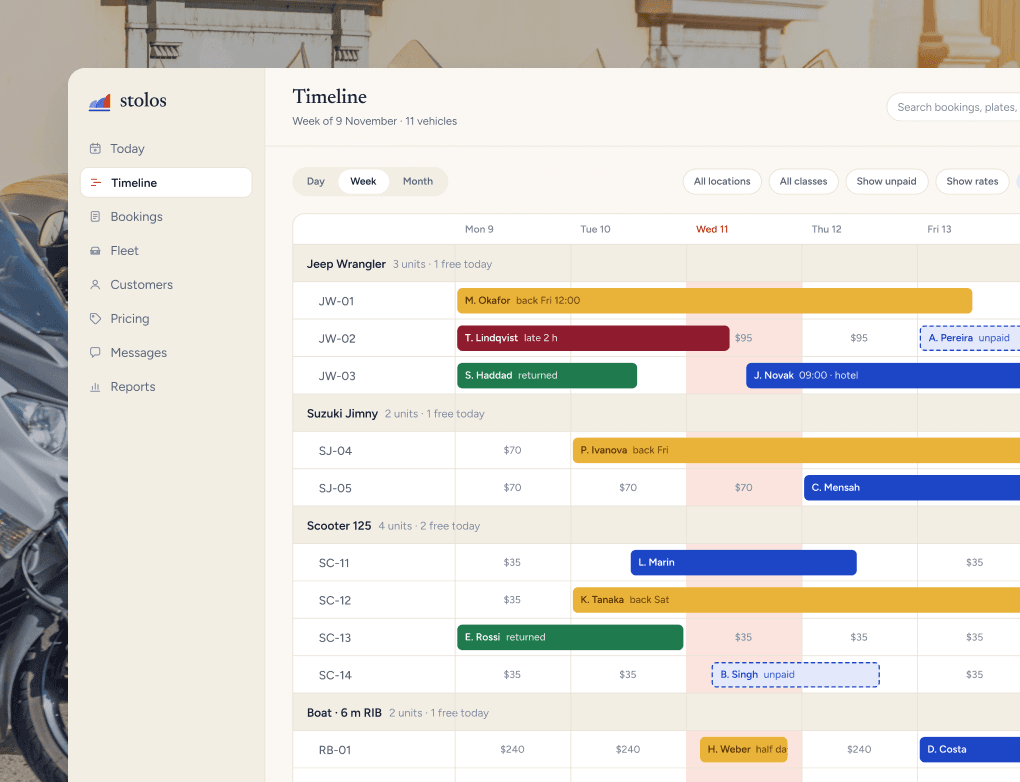
The fleet timeline: one row per vehicle for a week, with reserved, out, returned and late bookings
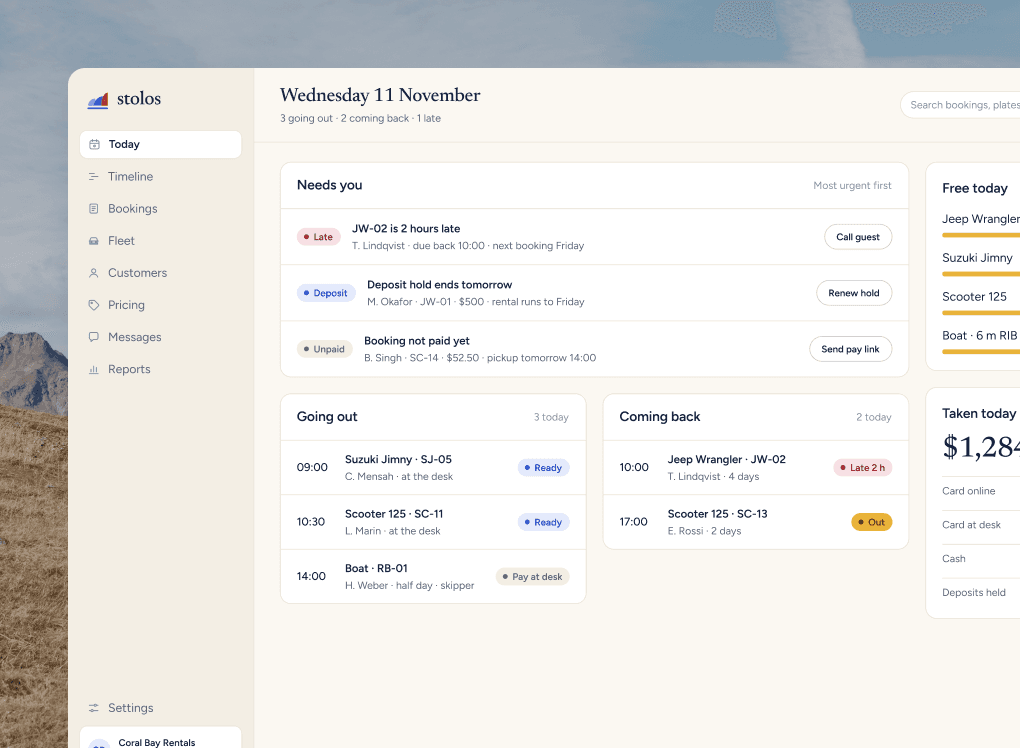
The Today screen: what needs you, vehicles going out and coming back, and money taken

Start the day knowing what will happen.

Pickups, returns, late vehicles and money still owed, in the order they need you.
  • Pickups and returns by hour
  • Money still owed
  • Vehicles not ready yet
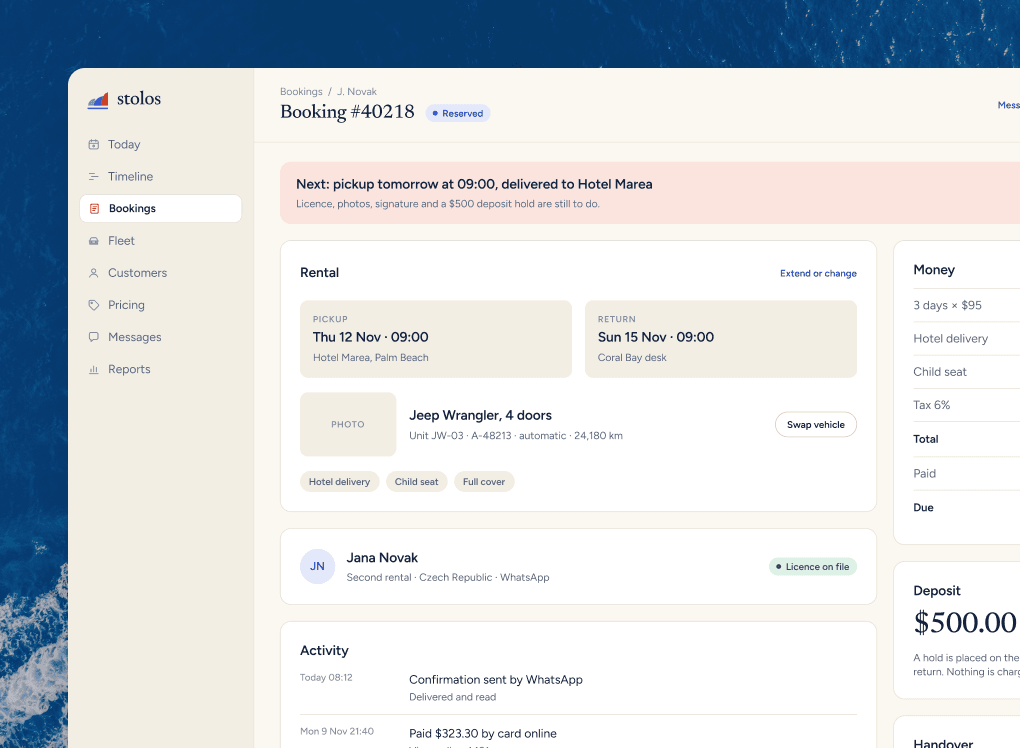
A booking page with the rental dates, the vehicle, the money and the deposit

Change a rental that is already running.

Extend, shorten or swap the vehicle. The timeline blocks a move that would hit another booking.
  • Swap to another vehicle in the class
  • New price shown before you confirm
  • Late returns pushed to the top
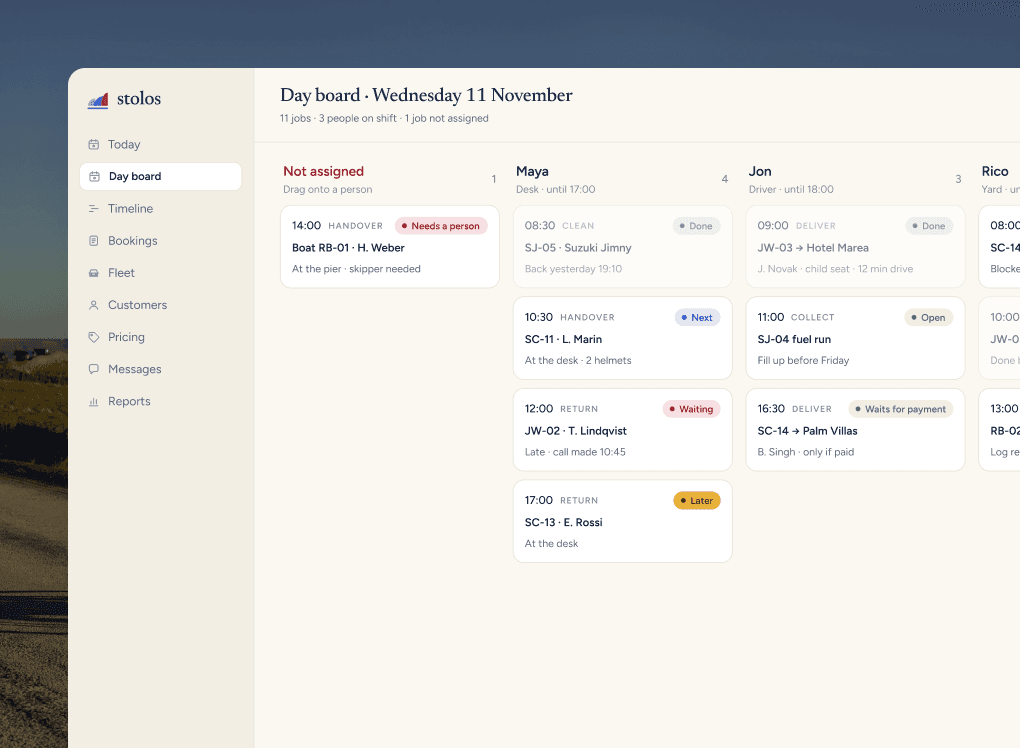
The day board: today's jobs in one column per person

The yard team sees only their jobs.

Deliveries, pickups, washes and service for today, with the place and the guest’s number.

  • One list per person
  • Jobs ticked off on the phone
  • Service blocks take a vehicle off the site

Readable from across the room

Four colours

Reserved, out, returned, late. The same colours on every screen.

Unpaid shows

A booking with money owed looks different until it is paid.

Classes and plates

Group by class or see every plate on its own row.

Phone view

The same timeline, by day, in your pocket.

Car keys being handed to a driver through the window

Ready when your fleet is.

One timeline for your website, your desk and your partners. Set up in a day.

No Stolos fee per booking · From $49 a month